PDFTara Studio Desktop PDF Powerhouse
A free, local-first PDF app for Windows, Mac and Linux. 53+ tools, visual workflows, offline AI and in-place editing. Your files stay on your device.
Version 0.1.0 · 64-bit
See PDFTara Studio in action
A clean, fast desktop workspace built for real PDF work.
Everything you need to work with PDFs
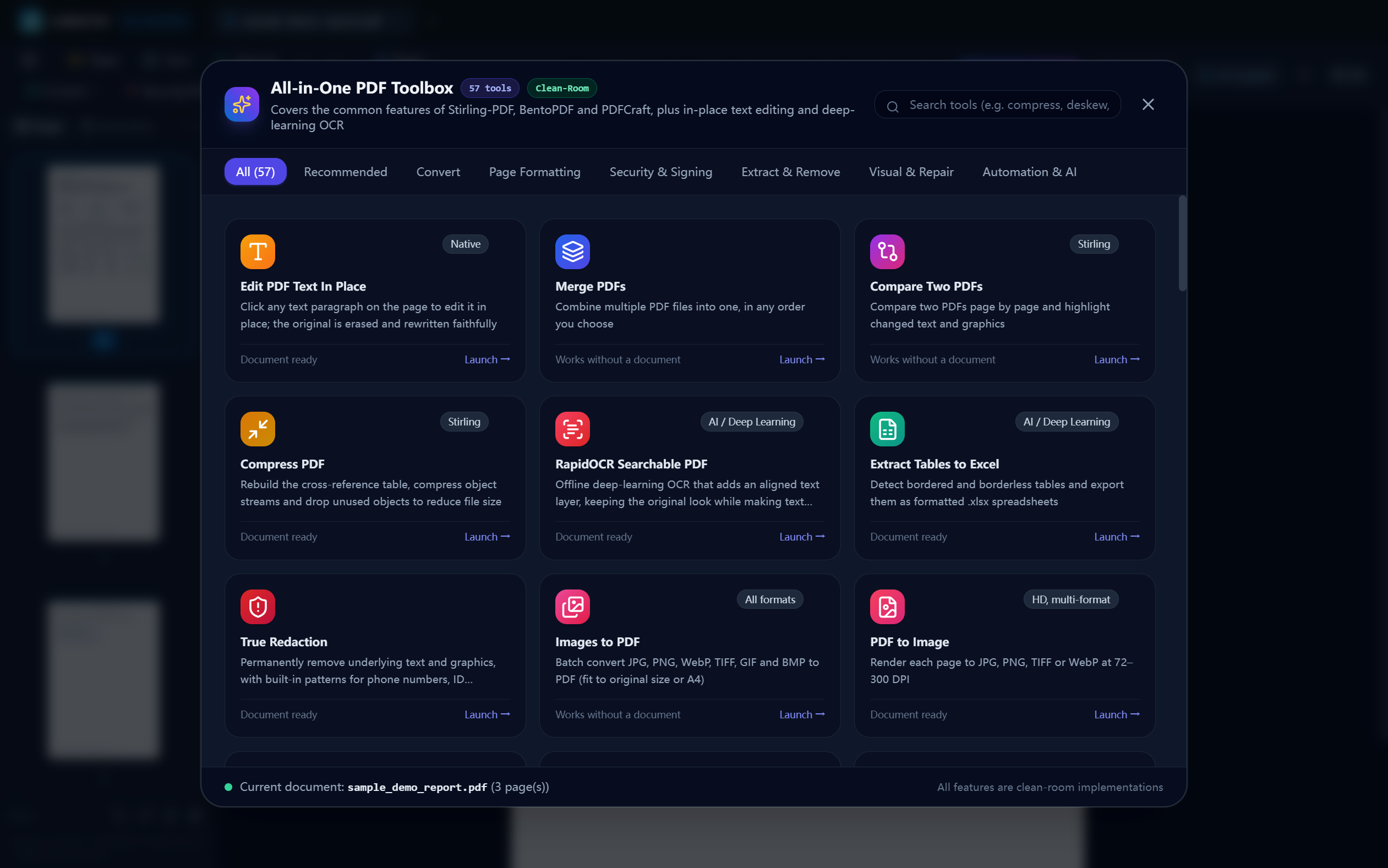
53+ Atomic PDF Tools
Merge, split, rotate, crop, compress, OCR, redact, watermark and more, all in one cockpit with zero configuration.
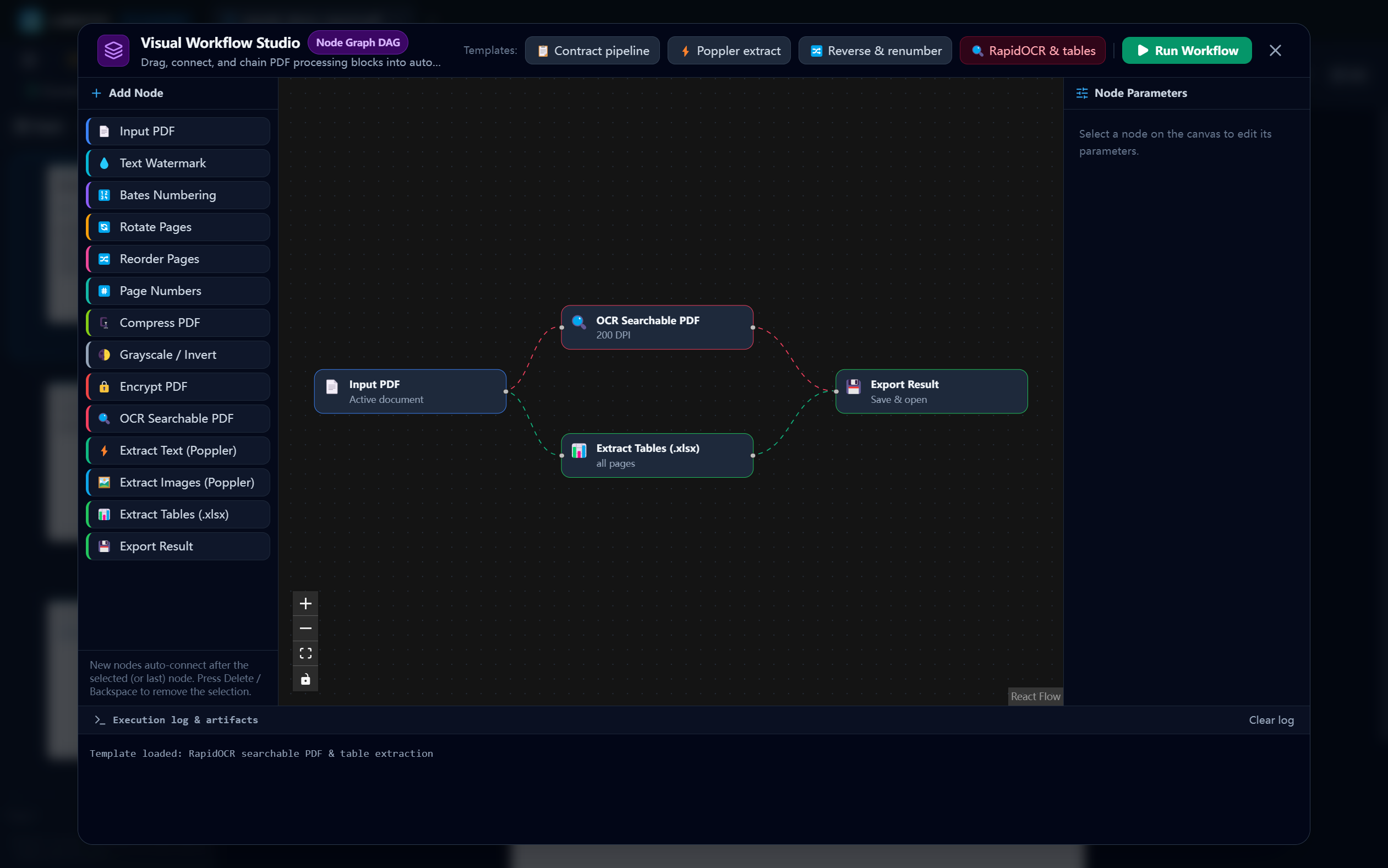
Visual Workflow Studio
Chain operations with a node-based graph, for example Deskew, OCR, Redact, Compress and Watermark in a single pipeline.
Offline AI Copilot
Connect to local models through Ollama or LM Studio. Describe a task in plain language and approve every action before it runs.
In-Place Text Editing
Click any text block on the canvas to change text, font or position. See results instantly and save with Ctrl+S.
Local-First and Private
Your documents are processed on your own computer. No account and no file uploads.
Fast Desktop Experience
Hardware-accelerated viewer, real page thumbnails, multi-tab workspace and persistent pen and highlighter overlays.
Download PDFTara Studio
Version 0.1.0 · Free for Windows, macOS and Linux
How to install
Windows
- Download the installer (or the portable version).
- Open the file. If SmartScreen appears, click "More info" and then "Run anyway".
- Follow the setup and launch PDFTara Studio.
macOS
- Download the .dmg for your chip (Apple Silicon or Intel).
- Open the .dmg and drag PDFTara Studio to Applications.
- Right-click the app, choose "Open" and confirm the first time.
Linux
- Download the AppImage or the .deb package.
- AppImage: run "chmod +x" on the file, then double-click it. .deb: install with your package manager.
- Launch PDFTara Studio from your applications menu.
Frequently asked questions
Yes. PDFTara Studio is free to download and use, with no registration and no hidden costs.